

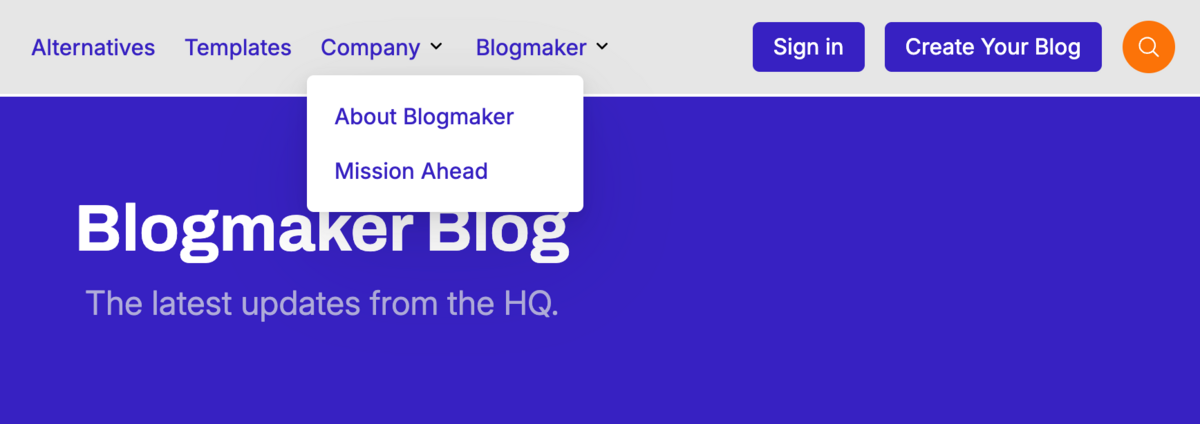
I am happy to announce this much requested feature: Submenu Drop-downs on Main Menu Links.
It's one of those features that has been requested a few times and appears simple, however it took a bit of re–structuring a few elements in between existing customer menus and existing themes.
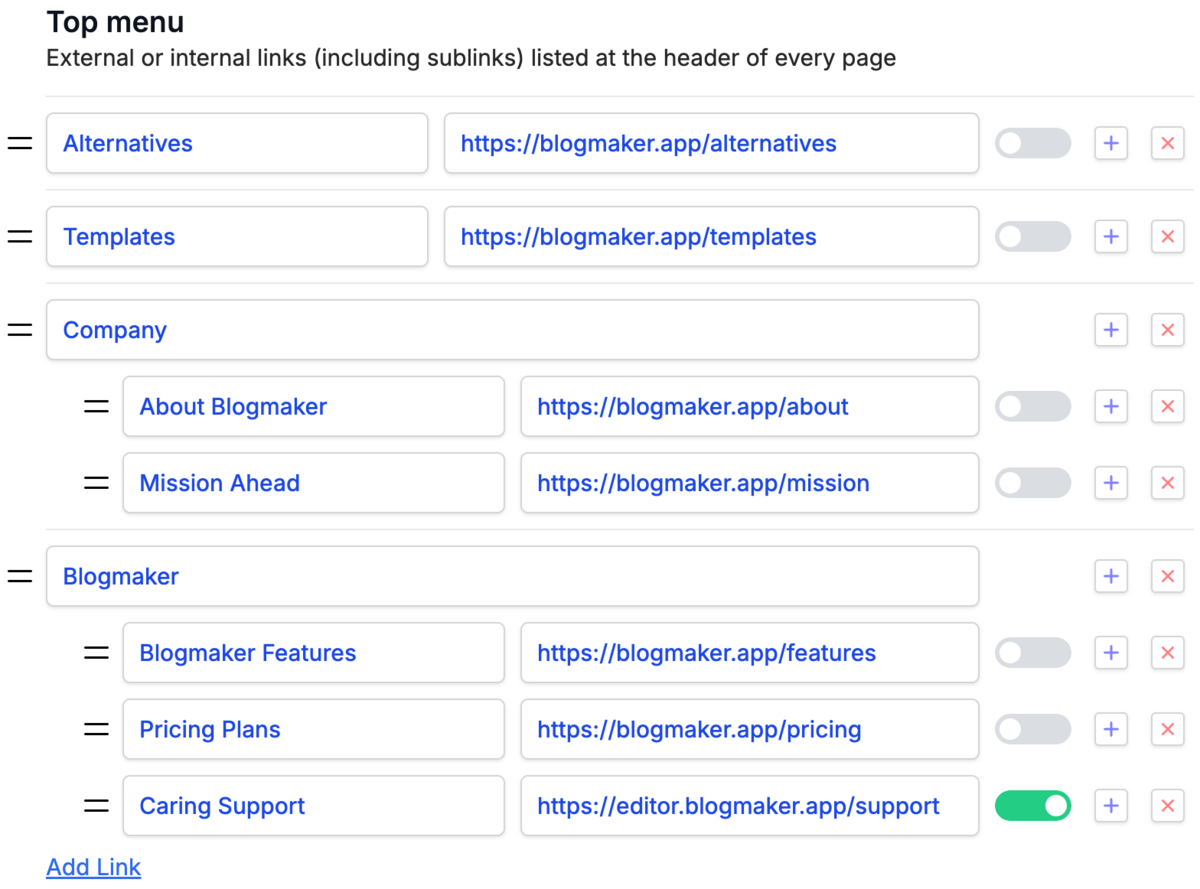
If you already have a Top Menu on your Blogmaker blog, you can add a submenu to it by going to "Settings > Custom Menus" —— where you can also add your Top Menu, if you haven't already.
And all that translates into the version below.
Note for blogs with custom colors
If your Blogmaker blog is customized with custom colors, via our DesignStudio, chances are your submenu colors will hold our themes' default colors. You can update them, by going to "Settings > Design Studio" and choose the colors that fit your customized theme's colors.
Also, you can now reorder menu elements, something that was not possible before.
As always, ping me with your comments.
Val
Publish your SEO–driven content!
Visit BlogMaker.app