

llms.txt is a simple file, similar to a sitemap, placed at the root of your blog that helps large language models, like ChatGPT, understand what your blog is about. This way ChatGPT (and other LLMs) realize which posts and pages in your blog matter most, and how your content should be interpreted, making it easier for AI systems to index, summarize, and reference your work accurately when someone asks for something similar to your content, service, and product.
To learn more about the specifics of llms.txt, please visit the llmstxt.org website.
BlogMaker llms.txt integration
We're constantly upgrading our system with the fast changing times and passing these benefits directly to our clients.
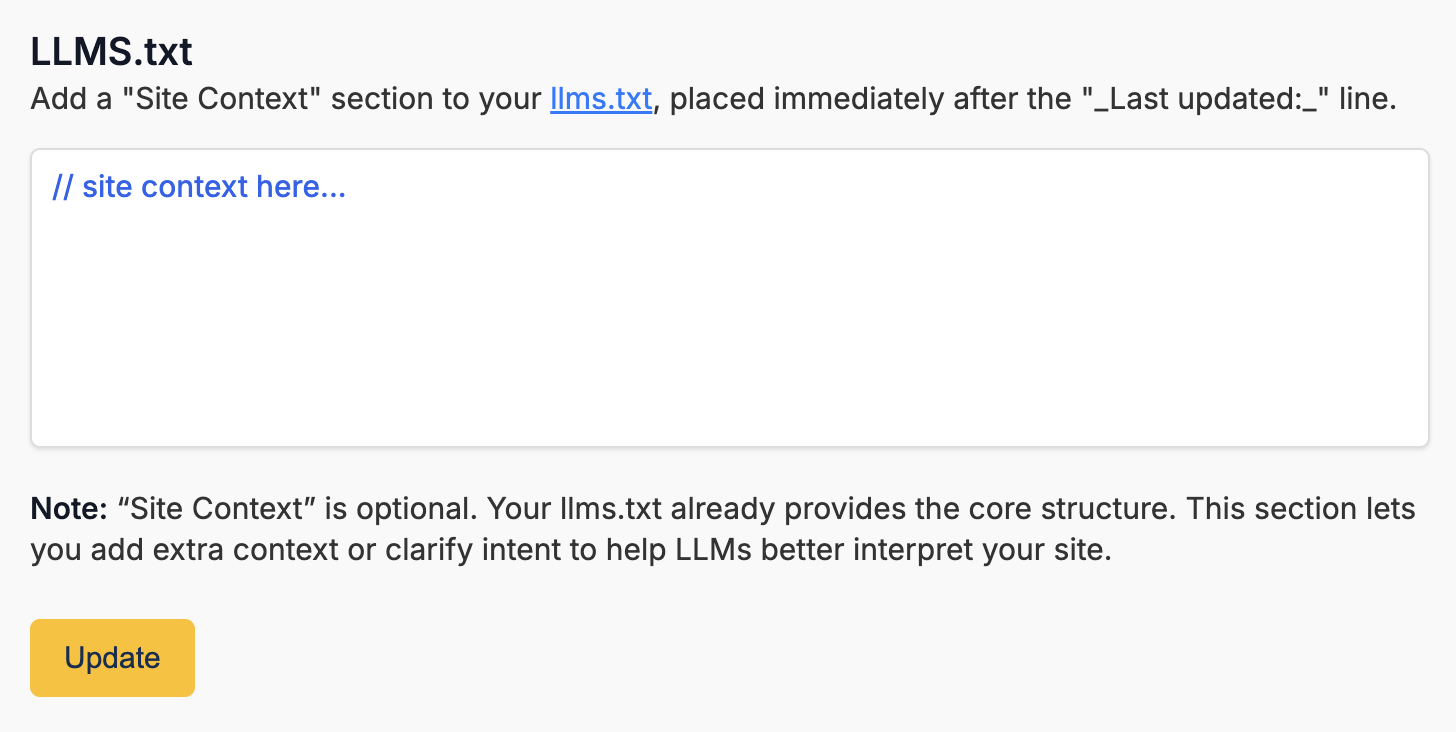
With this addition, the llms.txt is now automatically generated for your blog. However, you can also add your own "Site Context" to it, which is optional, but can be helpful.
To edit the "Site Context", in your BlogMaker Dashboard, visit "Settings > Sitemap" and scroll toward the end of the page to edit the "Site Context" section.
To view what an actual llms.txt file looks like, here's the BlogMaker Blog llms.txt file.
Your blog's llms.text would be the domain of your blog + /llms.txt, also linked in the Sitemap section described above.
Publish your SEO–driven content!
Visit BlogMaker.app