Summary:
Blogmaker is the right choice for business blogs, SEO & content marketing blogs, and professionally personal blogs, and it can easily be served on the /subdirectory of an existing website. It's not a good fit for socially driven blogs found on Substack and Medium. WordPress is too complex and Ghost is going more towards audience building and newsletters.
Table of Contents
Portfolio or showcase blogging
Community or multi-author blogging
Best Blogging Platform for Businesses
Best Blogging Platform for SaaS
Best Blogging Platform for Agencies
Best Blogging Platform for Writers
Best Blogging Platform for Beginners
Best Blogging Platform for Newsletters
Best Blogging Platform for Paid Memberships
What is the best blogging platform in 2026?
What is the best blogging platform for SEO?
What is the easiest blogging platform for beginners?
Which blogging platform is best for businesses?
What is the best blogging platform for SaaS companies?
Is WordPress still the best blogging platform?
What is the best platform for newsletters?
What is the best blogging platform for memberships?
Do I own my content on blogging platforms?
Last updated: July 9, 2026
There are many platforms out there that are good for blogging. Considering which one is the best blogging platform depends on the type of blogging you want to do.
Before we go into what types of blogs are out there and explaining each platform in detail, here is the list of platforms covered in this rundown.
- Blogmaker: SEO publishing, content marketing, business blogs, authority building
- Ghost: publishing & newsletters
- WordPress: websites and blogs
- Blogger: hobby blogs, beginners
- Medium: writing and paywalls
- Substack: newsletters
- Squarespace: site builder with a limited blog section
- Wix: site builder with a limited blog section
And here's a side-by-side comparison of each platform.
| Platform | SEO | /subdirectory | Price | Low Yearly Pricing |
|---|---|---|---|---|
| Blogmaker | Strongest | Yes ($49/year plan) 👍 | $49/year 👍 | Yes ✅ |
| Ghost | Decent | Yes ($239/mo plan) | $18–$239/mo | No |
| WordPress | Strong | Yes ($70/mo plan) | $9–$70/mo | No |
| Medium | Weak | No | Free | — |
| Blogger | Weak | No | Free | — |
| Substack | Weak | No | Free + fees | — |
| Squarespace | Moderate | No | $19–$36/mo | No |
| Wix | Moderate | No | $17–$159/mo | No |
Crowning which is the best best blog platform requires some criteria, which we cover at the end of this article and depends on what type of blogging you want to do, but first explore the types of blogging that exist and then go into detail about best blog sites.
Types of blogging
Here are the main types of blogging that exist today, grouped by purpose and audience:
Business blogging
Used by companies to attract leads, improve SEO, and build authority. Posts typically answer customer questions, explain services, or share updates to bring organic traffic to a company’s main site.
Professional blogging
Run by individuals who make blogging their primary income source. It usually involves brand collaborations, affiliate links, memberships, or selling courses and digital products.
News and magazine blogging
Covers current events, industry trends, or specific sectors (like tech or entertainment). These are often team-driven and updated frequently with short, timely posts.
Affiliate blogging
Created mainly to review, recommend, and link to products using affiliate links. The goal is to generate commissions from sales.
Personal blogging
These are digital journals where individuals share life experiences, opinions, hobbies, or reflections. They’re often written in a casual tone and focus on connection rather than monetization.
Niche blogging
Focused on a specific topic like travel, fitness, photography, or gardening. These blogs attract a targeted audience and are often monetized through ads, affiliates, or sponsorships.
Educational blogging
Focuses on teaching readers about a particular subject. Tutorials, how-tos, and step-by-step guides dominate this category.
Portfolio or showcase blogging
Used by creatives (writers, designers, photographers, developers) to display their work, share process stories, and attract clients.
Community or multi-author blogging
Operated by multiple contributors around a shared theme or cause. Examples include company blogs, advocacy sites, or lifestyle collectives.
Microblogging
Short-form posts typically shared on platforms like Tumblr, LinkedIn, or even Twitter/X. Focuses on brevity and frequent updates rather than long-form writing.
Most Popular Blogging Sites
Below are various blogging platforms to choose from where you can blog based on your criteria.
These blogging platforms have been around for quite some time and each one of them is a good fit for a certain type of blogging.
Blogmaker
Blogmaker is a modern blogging tool that helps users create their blog with ease and modify its settings to match their brand or existing websites. The feature set is everything you'd expect from an advanced blogging tool and more. One benefit of using Blogmaker is that it's as simple or advanced as you need it. Meaning that the dashboard and the editor is clean in essence, but it has a lot of extra tools for the advanced user.
Here are some Blogmaker reviews found in Trustpilot and Capterra.
"Stellar Product and Support" by Peggy Murrah
"A Fantastic and Flexible Blogging Platform" by Enrique S
"Surprised by quality, speed and user support" by David D
"Exceptional Support" by Aissam Drai
"Great product, greater customer support" by Ali F
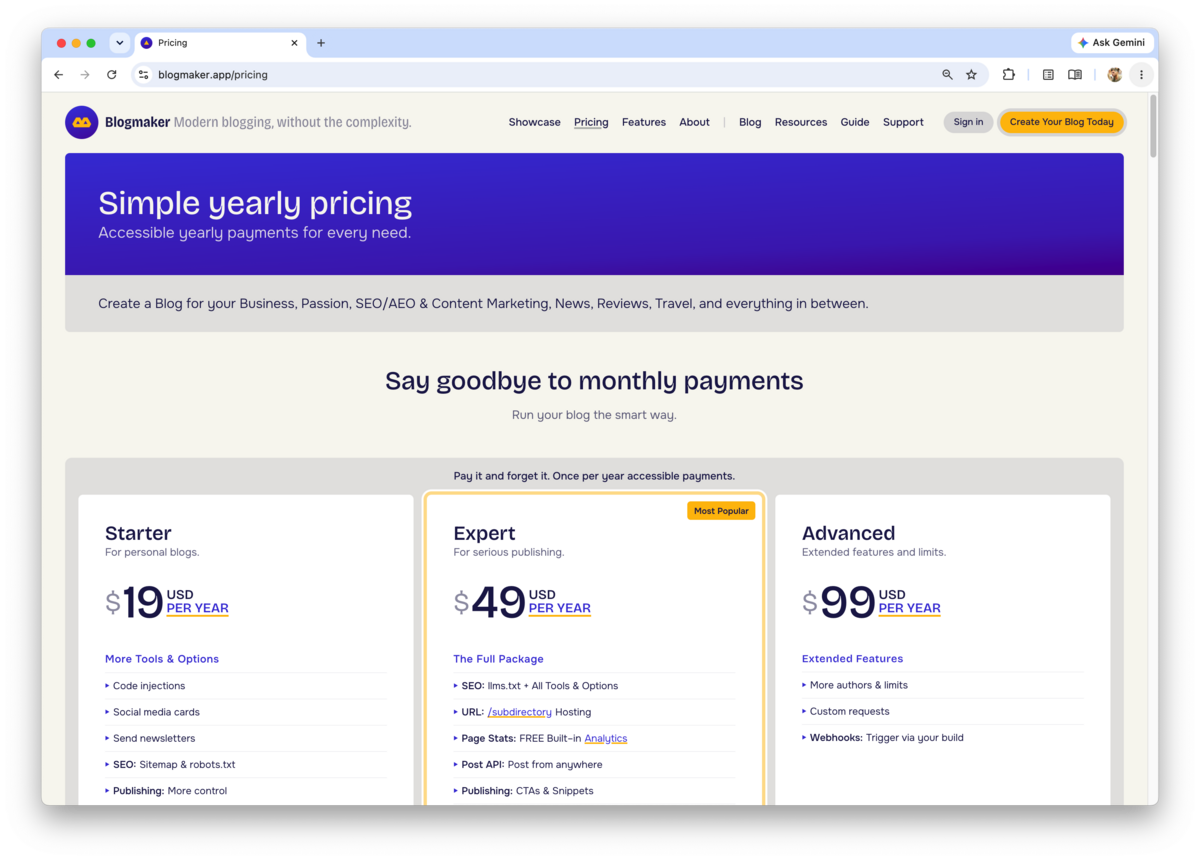
Blogmaker offers a simple yearly pricing structure that is unmatched by anyone else. View Blogmaker Pricing. Blogmaker's simple yearly pricing makes it a favorite across the board compared to all other blogging tools.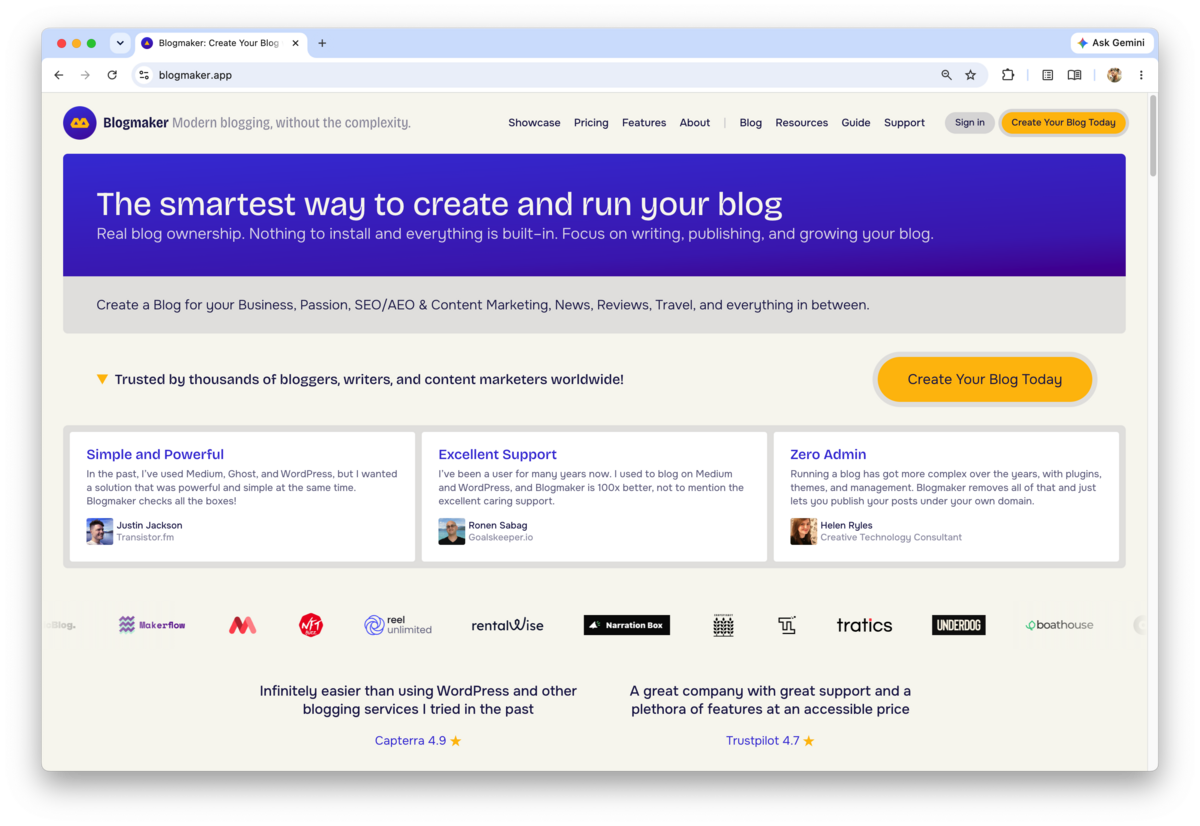
Blogmaker Reviews
I am moving our blog over from WP, and every time I do something with Blogmaker (blogstatic), I love it more. This is a fantastic product, and customer support is stellar. Val (the founder) is always so helpful, even when the fault is entirely mine. Highly recommend.
Super easy to set up and publish content. It’s also very easy to customize the theme to match your company’s look and feel, which is a big plus. The pricing is very affordable compared to other platforms. I also love the fact that you can integrate the blog into a directory instead of being limited to a subdomain.
It's sooo easy to start with, infinitely easier than using WordPress and other blogging services I tried in the past. I have only been using it for a short time, but long enough to realize that everything in the service is well thought out, planned, and executed. I switched from WordPress and I do not plan to return. The best about Blogmaker (blogstatic): and incredible efficient and empathetic 5-stars customer support service!!!
I recently had an excellent experience with the support team at Blogmaker (blogstatic), and I felt compelled to share my thoughts. From the moment I reached out for assistance, I was impressed with their promptness and professionalism. I had encountered a technical issue while trying to customize my blog. After submitting a support ticket, I was pleasantly surprised to receive a response within just a few minutes. What stood out to me the most was their willingness to go the extra mile. They didn’t just solve my problem; they took the time to provide additional tips and resources to help me make the most of my Blogmaker (blogstatic) experience.
Very easy to use, best customer support ever, minimalist to the core. The best word processor ever. Overall, it's a writer's dream.
Blogmaker Pros
Blogmaker Cons
Blogmaker's Simple Yearly Pricing
Blogmaker is considered by many business bloggers to be the best blogging platform because of its versatility, flexibility, and the extensive built–in features, that make running a business blog a breeze. However, Blogmaker is not a good fit for on-off personal journaling, because tools like Medium, Blogger, and Substack are a much better fit for those types of blogging.
Blogmaker is built specifically for businesses, founders, SaaS companies, agencies, and teams that publish content with a purpose: SEO blogging, content marketing, acquiring traffic, building authority, generating leads, and owning their audience.
What Blogmaker "lacks" is the WordPress plugins ecosystem, which is actually a liability in terms of security and maintenance. Most, if not all options, to run a successful SEO blog come baked into Blogmaker, so you don't have to install or maintain anything.
When deciding which is the best blogging platform for you, make sure that you have full control over the SEO aspect of your posts, such as custom editing meta data, schema, canonical, and most importantly the speed of your blog delivering your posts. Blogmaker fits all these criteria.
Blogmaker is $19/month or $99/year, which includes running multiple blogs within the same account and subscription.
Why Blogmaker Stands Out
While every platform in this comparison excels in certain areas, Blogmaker is purpose-built for businesses, founders, agencies, and teams that blog with a specific goal in mind: attracting customers, building authority, and growing through content.
Blogmaker differentiates itself by combining ease of use with features that are typically scattered across multiple tools.
Some of its strongest advantages include:
-
Built-in support for publishing under a subdirectory (
example.com/blog) without requiring expensive plans. - SEO capabilities included by default, such as metadata editing, schema support, canonicals, redirects, and sitemap generation.
- No plugins to install, maintain, or update.
- Fast-loading pages designed with Core Web Vitals and performance in mind.
- Support for multiple blogs within the same account.
- Visual customization through DesignStudio without needing developers.
- A predictable and affordable pricing model.
- Built specifically for content marketing, authority building, product updates, and SEO-driven publishing.
- Minimal maintenance overhead compared to self-hosted alternatives.
- Full ownership of your content, branding, and domain.
- Designed for modern teams with collaboration and scalability in mind.
Blogmaker won't be the ideal choice for everyone. Platforms like Medium remain excellent for personal writing, Substack is a strong option for newsletter-first creators, and Ghost offers some of the best built-in membership features available today.
However, if your goal is to grow a business, improve search visibility, generate leads, and maintain full control over your content, Blogmaker provides one of the most balanced solutions currently available.
Ghost
Ghost is an online publishing tool that started as a blogging tool and a WordPress alternative, and then grew into a publishing platform used by both writers and small to mid-sized outlets. Also, it caters to individuals who write newsletters and seek to grow their audience. Something akin to Substack.
Ghost offers three basic pricing tiers and a Custom one which is offered in 1–3 year terms, and it's geared towards complex use cases, such as online news outlets.
Their front–facing subscription plans are Starter, Publisher, and Business.
It's worth mentioning that the /subdirectory option in Ghost is available only through their Business Plan at $239/month and enabling this feature typically incurs an additional setup cost of around $50/month.
In contrast, the /subdirectory option in Blogmaker is offered at the $29/month plan, at no additional expense.

Ghost Pros
Ghost Cons
Ghost Pricing
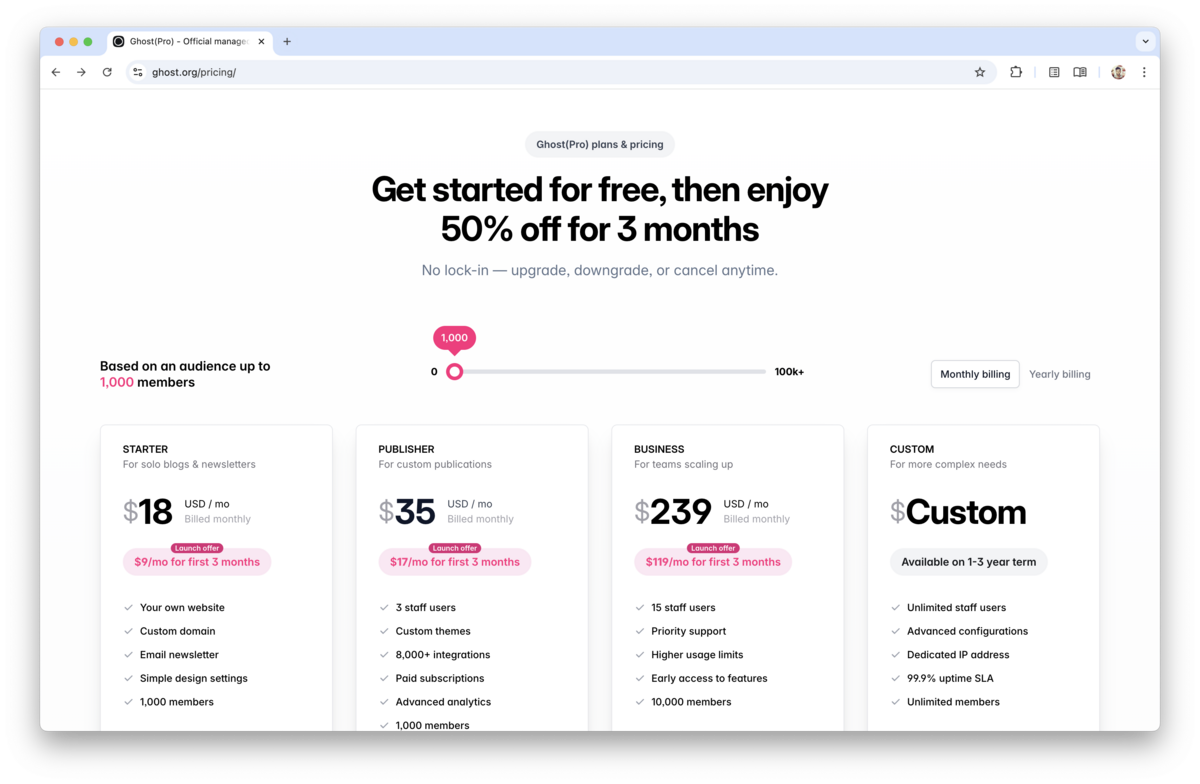
Ghost started out as a better WordPress alternative, however their journey over the years have taken many turns. Now, they are catering to users and content similar to Substack (in their early days) and Medium offering memberships and such.
Ghost is a paid product, with their best features usually up on the higher plans that can run hundreds per month. Unlike, Blogmaker, which has a single price offered both in its monthly and yearly version.
Learn about Ghost alternatives.
WordPress
Back in 2003, WordPress started out as a simple blogging tool. Over the years it has evolved into a website builder, a CMS, and a publishing tool for bigger outlets. WordPress has an extensive library of plugins and extensions that serve various purposes when publishing. WordPress offers various pricing options starting from $9/month and all the way to $70/month. If paid yearly, prices are cheaper, but you have to pay the entire year upfront. Each plan comes with their own limitations and only the Business plan ($40/month) and above allow installing any plugins, including SEO tools. The initial plans, Personal $9/month and Premium $18/month, do not offer anything more than the basics. Most of the features and benefits are not clearly spelled out in their Pricing page and only experienced once the user hits those limitations and is presented with the option to upgrade. On the other hand, Blogmaker offers tools right out of the box without the need to install plugins that are hard to maintain and most of the time expose the website and blog to vulnerabilities.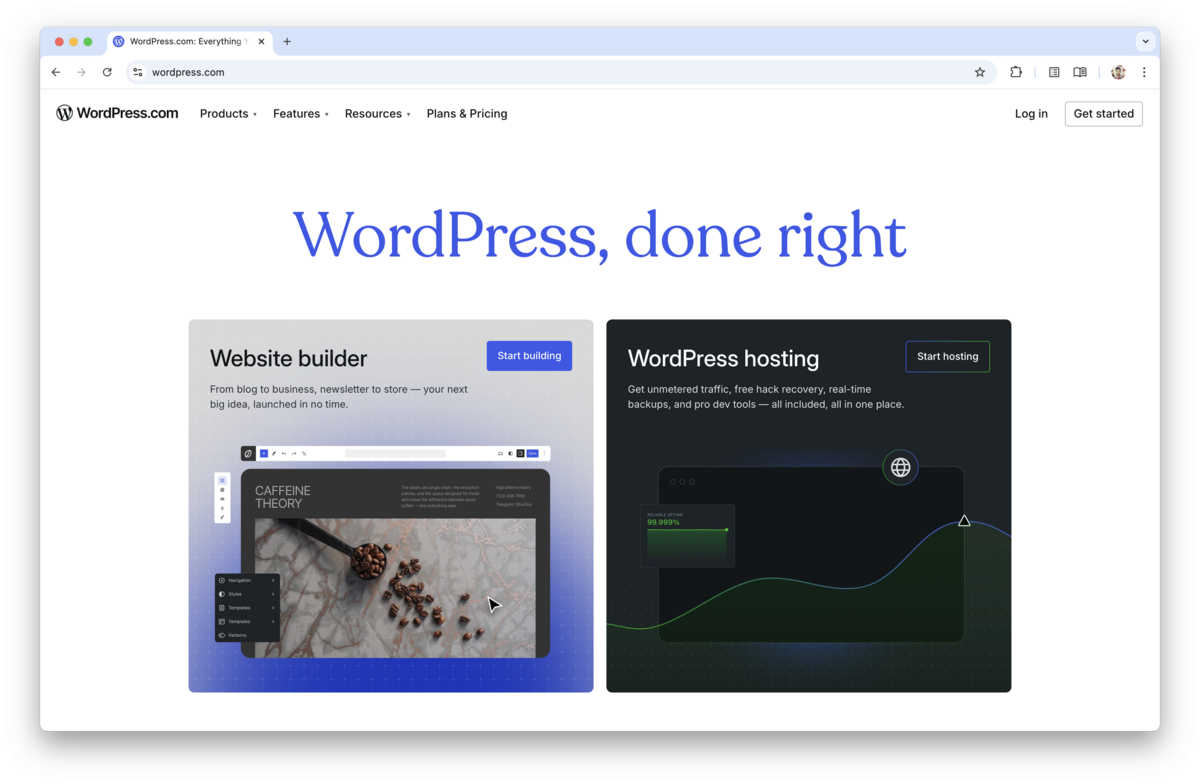
WordPress Pros
WordPress Cons
WordPress Pricing
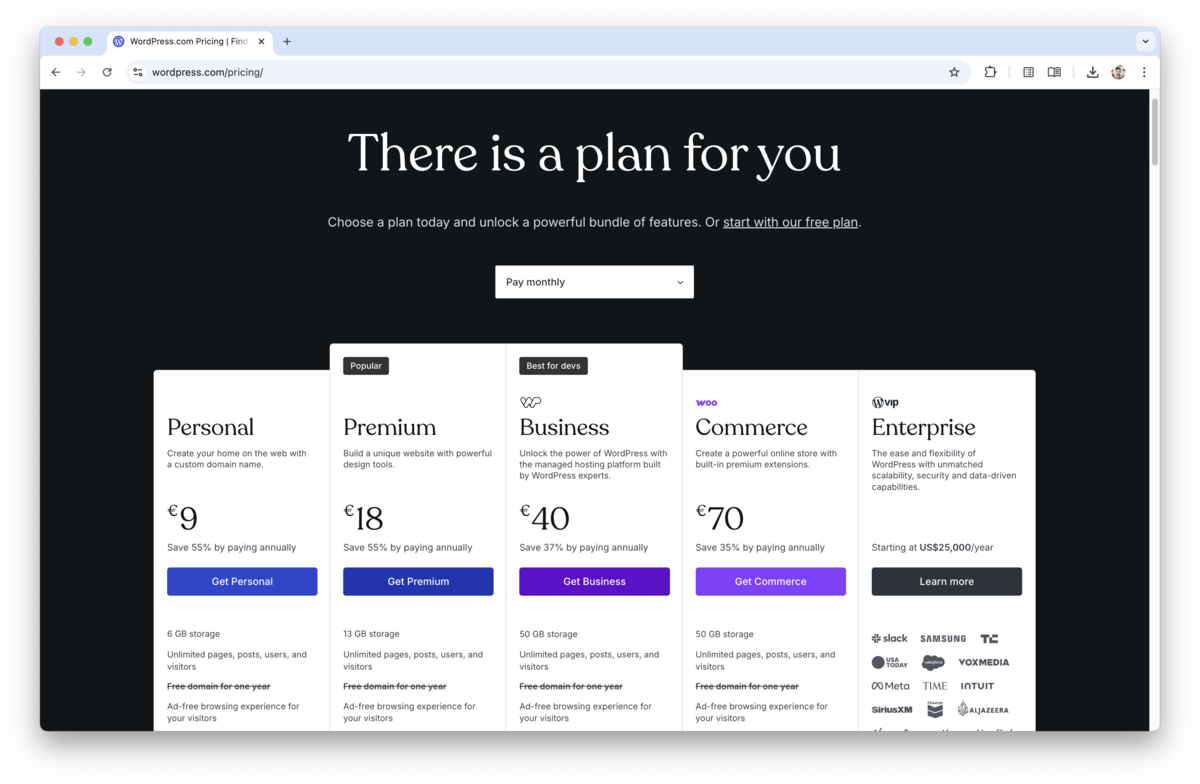
WordPress used to be the darling of blogging, however their evolution and growth has caused them to be bloated and lose the crown for the best website for blogging. Even though WordPress can be used for blogging, its open source version is mostly used for building various websites. Its plugin ecosystem is vast and great for many use cases, but if those plugins are not updated and maintained periodically, they can pose a security risk. Not to mention that a website loaded with various plugins can become very sluggish, which is something search engines frown upon.
WordPress is free to download and you can run it on your own servers. The online version of WordPress does not require an installation, but their pricing can get quite expensive if your goal is to run a professional and content driven blog.
Learn about WordPress alternatives.
Blogger
Blogger enables users to publish blog posts online. Creating a blog on Blogger is completely free, but it lacks some of the features that can further help personalize a blog. Blogger is used by individuals who want a very basic blogging tool that doesn't include any of the features you would find in more advanced blogging platforms like Blogmaker, as such publishing with Blogger is free, which means you can set up your blog and start posting without having to pay.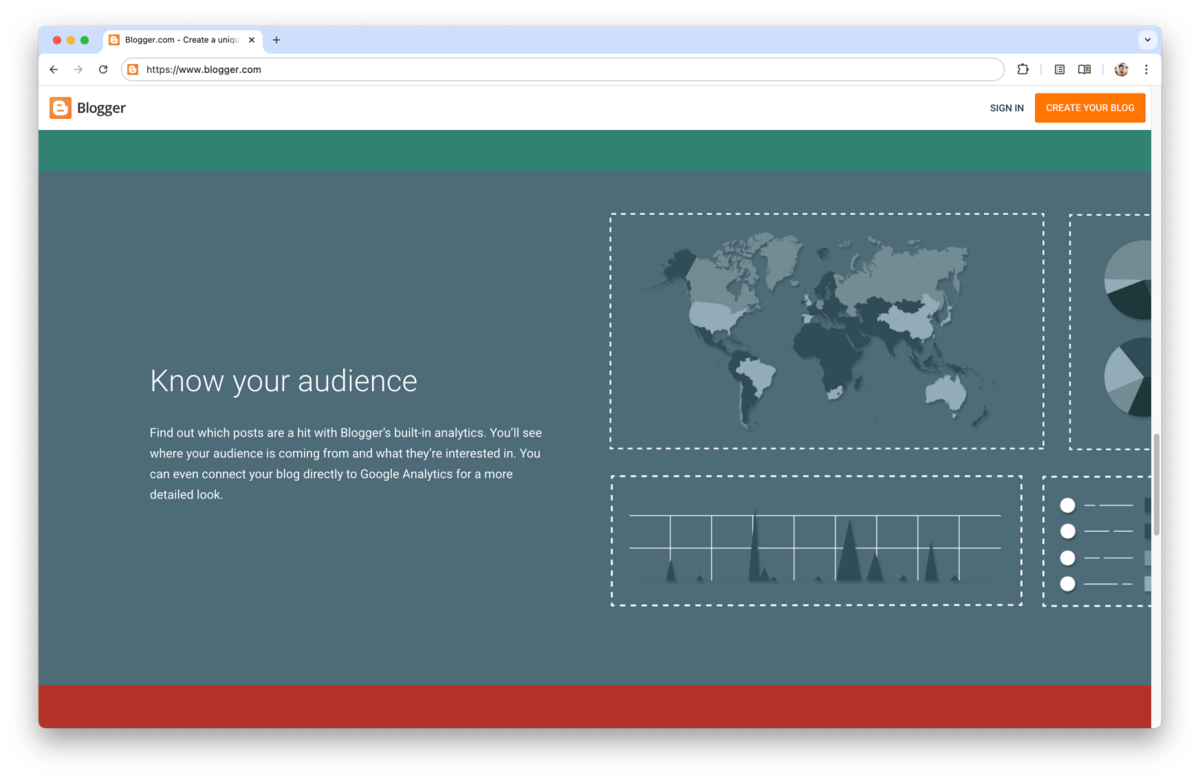
Blogger Pros
Blogger Cons
Blogger Pricing
Blogger when it first came out in the late 90s was the best website for blogging, however over the years, and especially after being acquired by Google, the improvements on it stopped entirely. Blogger is best for casual blogging and it doesn't offer any options likes SEO, code injection, etc. which are things tools like Blogmaker offer right out of the box.
Blogger is free to use.
Learn about Blogger alternatives.
Medium
Medium is an online publishing platform and social journalism outlet that caters to writers and readers alike, and it provides content discovery via its algorithmic feeds. Creating your blog on Medium is completely free, and you can connect your Medium page to your subdomain (example: blog.mydomain.com).
On Medium, writers pay nothing to publish their content. Only readers do.
You can publish your content on Medium completely free and connect your Medium page to your own subdomain only. You cannot connect your Medium page to your root domain or to the /subdirectory of your website, something that is easily done in Blogmaker.
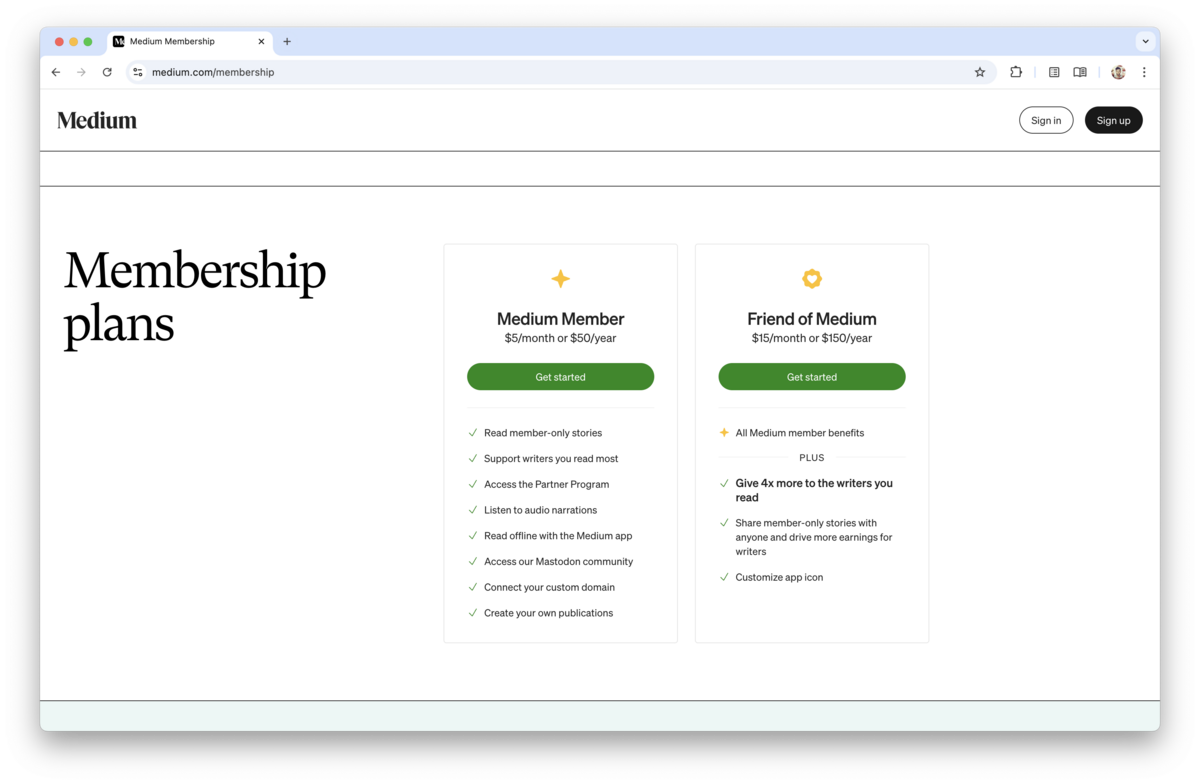
The prices below are for readers only, and here's a little caveat: on Medium, your posts live inside their ecosystem. If you join their Partner Program, your posts automatically go behind a paywall (though you can choose to make some free), and then Medium decides which of your posts to promote and recommend. If you don't join their Partner Program, your posts are not promoted as much and won't appear in recommended articles.
On the other hand, for readers who decide to pay the monthly fee, they get many benefits, such as reading member-only stories, supporting writers, and listening to audio narrations (when available).
Medium Pros
Medium Cons
Medium Pricing
Medium excels at writing, but offers limited control over SEO, branding, and content ownership. When you blog on Medium your content is locked in their ecosphere and moving away from it becomes much harder. Also, the lack of SEO options make it hard to make it the right choice for a professional blog. Medium is a great option for personal journaling, journalism, and thought leadership. But, it's not a good choice for a content marketing blog with the purpose to build brand authority.
Medium is free to use.
Learn about Medium alternatives.
Substack
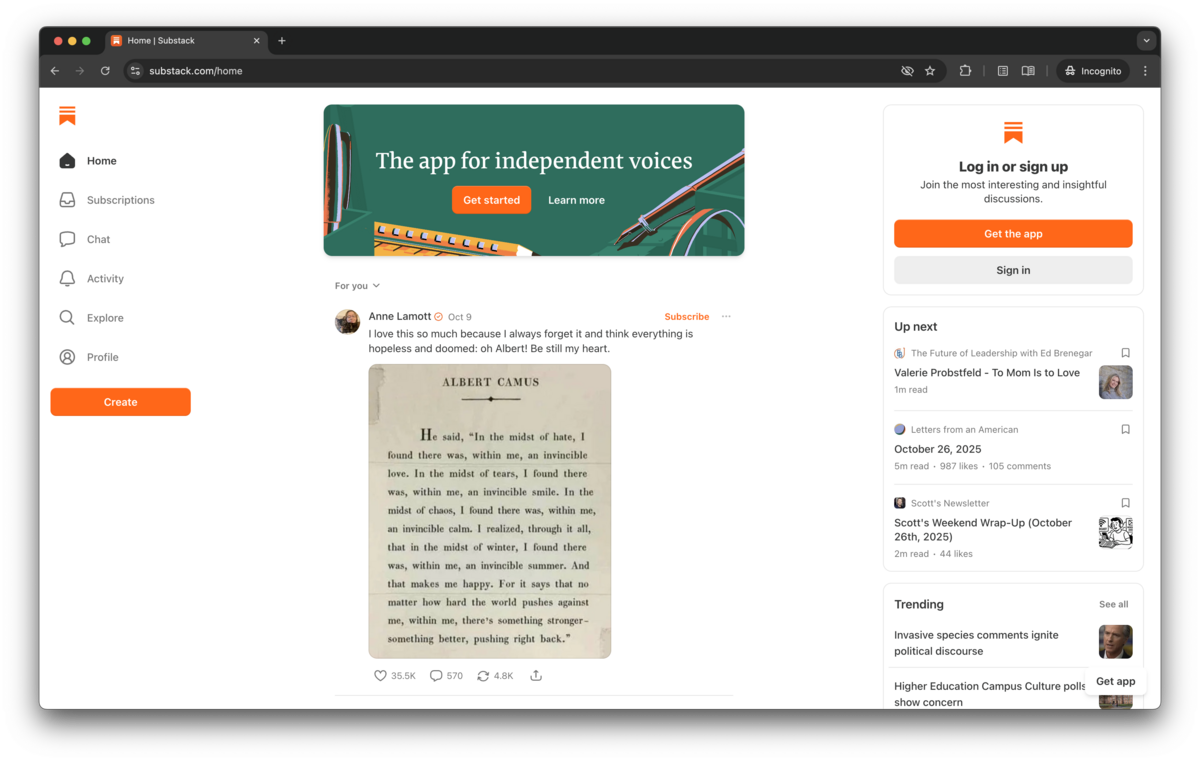
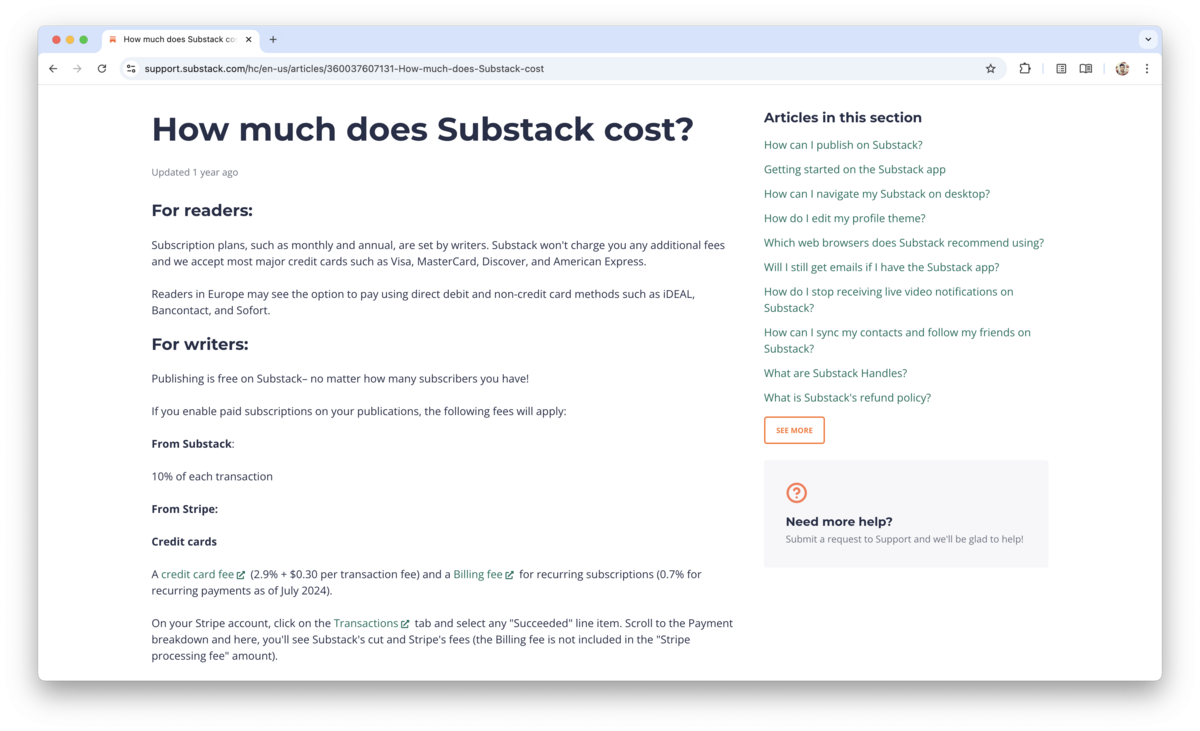
Substack initially launched as a newsletter platform. Recently it has evolved into a publishing platform that caters to writers in social and political discord, but not so much to the professional content writers looking for an SEO–ready blogging platform. To publish your thoughts on Substack is free, but you can choose to monetize your writing by setting your prices. From every transaction you generate Stripe takes a flat 10% fee and you also incur Stripe fees starting at 2.9% and 30¢ per transaction. In other words, if you charge your client $10/month for having access to your content, Substack will take $1 from that transaction and Stripe will take 59¢. Sometimes there are other fees included with each individual Stripe transaction, which you can find on the Stripe Pricing page.
Substack Pros
Substack Cons
Substack Pricing
Substack, just like Medium, is more geared towards political and social discourse newsletters. Some people use it to blog, however Substack doesn't have the SEO controls needed in order to be considered a best website for blogging. It's a good place to start blogging, but moving away could be cumbersome. If your goals are to blog seriously for business and SEO purposes, other tools in this rundown are a much better fit.
Substack is free to use.
Learn about Substack alternatives.
Squarespace
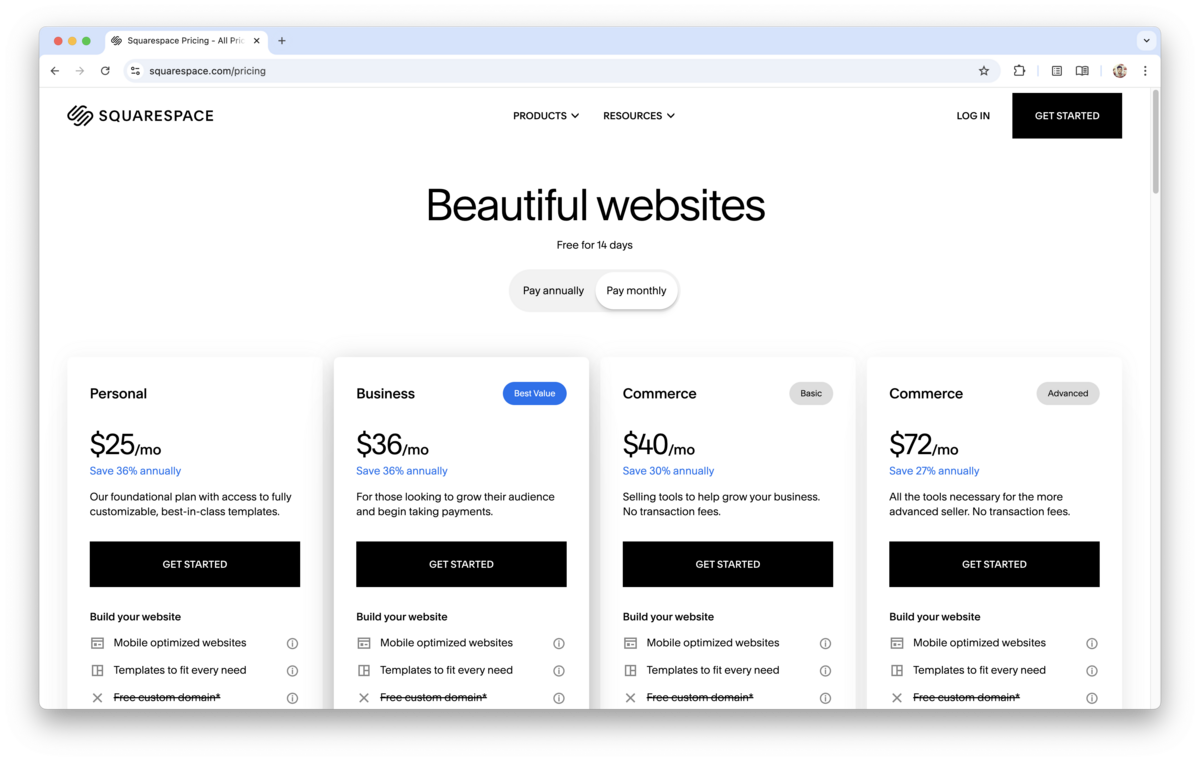
Squarespace is a website builder that also doubles as a blogging tool, even though the company's focus is in e–commerce focused websites. For someone wanting to publish occasionally without the benefit of features found in advanced blogging tools, Squarespace is the right choice. Squarespace offers four pricing plans, that can be paid in both monthly and yearly installments. The "Personal" plan offers the basics, with only the last tier at $72/month offering the entire package. The advanced plans in Squarespace are more geared toward payments, invoices, and merchandising for e–commerce websites.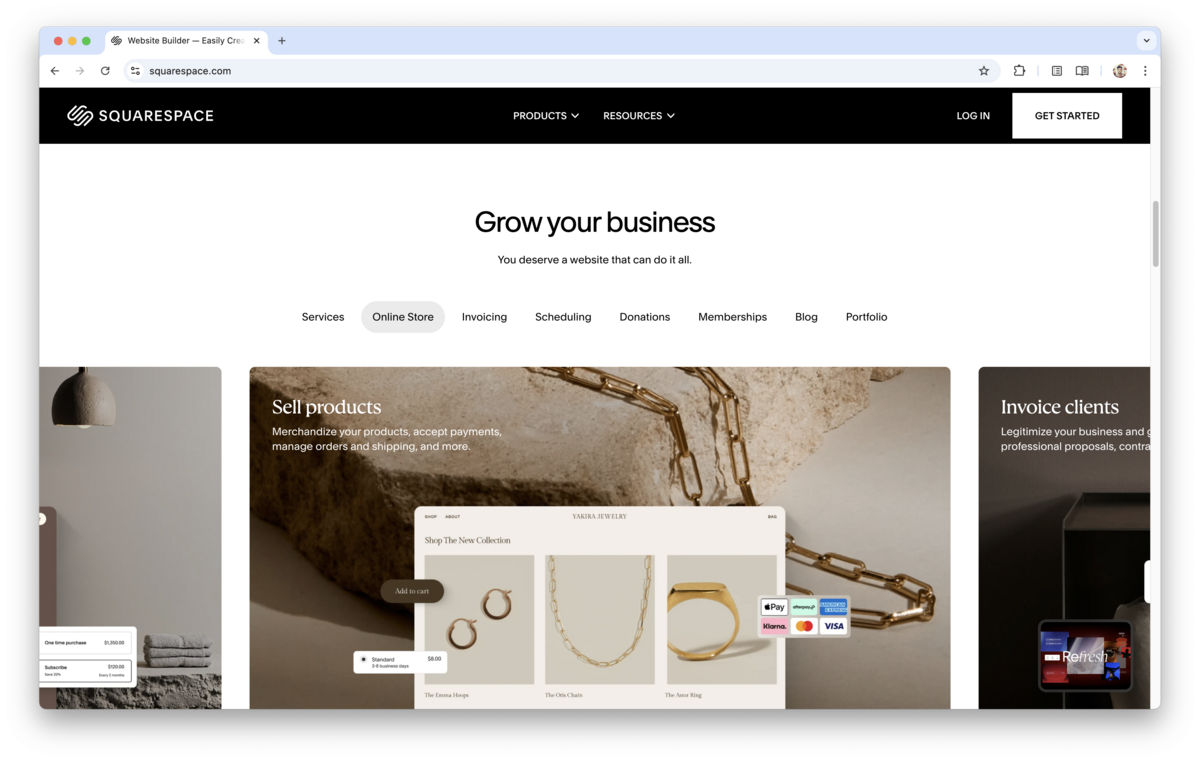
Squarespace Pros
Squarespace Cons
Squarespace Pricing
Squarespace is more of a website builder, however some bloggers use it for their blogging needs, even though it lacks a ton of features in order to be considered the best website for blogging. Just like Medium, moving away from Squarespace is quite difficult if you ever want to switch platforms.
Squarespace is a paid product.
Learn about Squarespace alternatives.
Wix
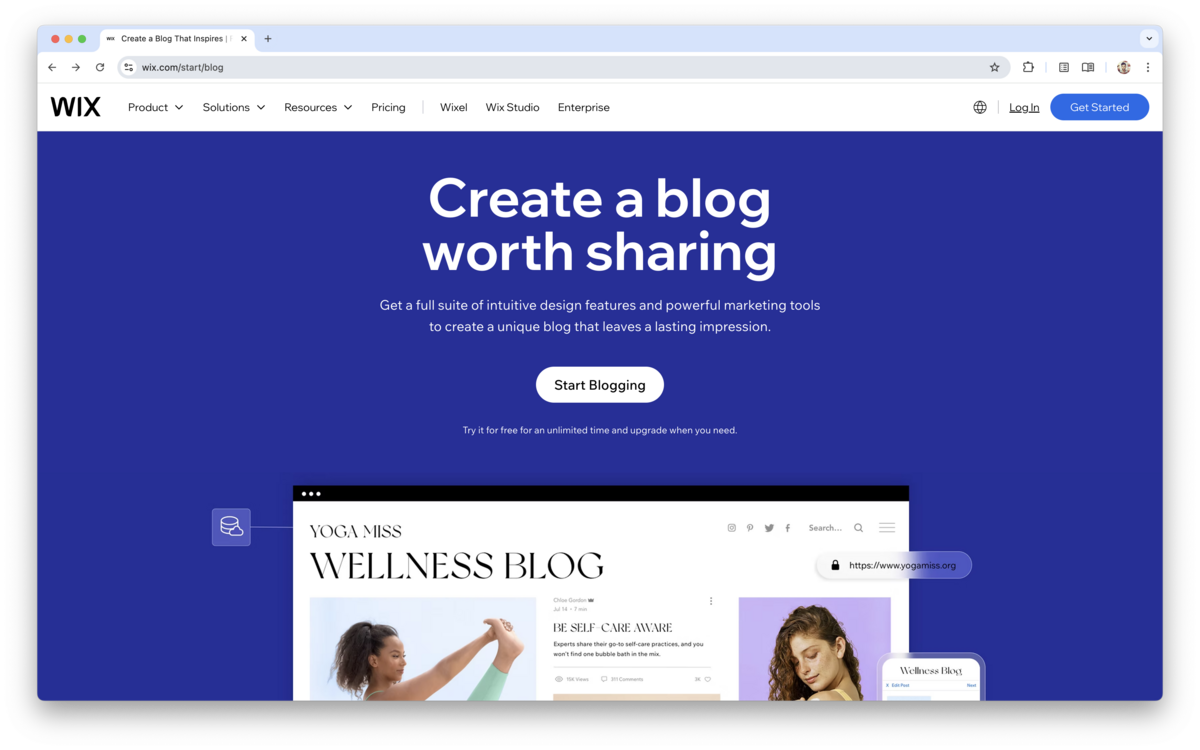
Wix in its essence is a website builder with e–commerce capabilities, however some use it for blogging as well. Even though it doesn't have dedicated SEO controls, it can pass as an add–on to an existing shopping website. With that said, it does offer some options in terms of SEO controls, like Wix pricing caters mostly to eCommerce websites with clear limitations on usage as well as features. Their current plans are: With that said, their focus is on the Business Elite plan, which has all the features. Again, it's worth mentioning that the /subdirectory option in Wix is non–existent
In contrast, the /subdirectory option in Blogmaker is offered in the Business Plan at no additional expense.
Wix Pros
Wix Cons
Wix Pricing
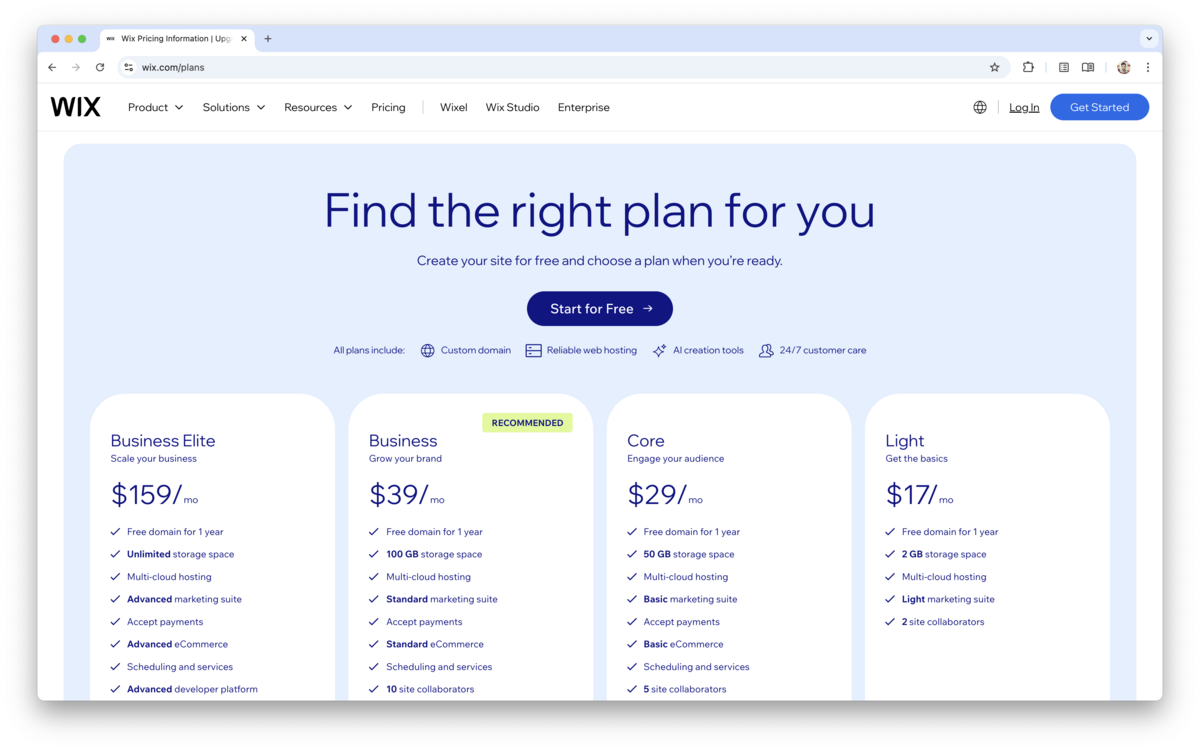
Wix is a paid product and not necessarily a blogging tool, even though it can be used as such.
Learn about Wix alternatives.
Below is a rundown of the Best–of–Class for each category.
Best Blogging Platform for Businesses
Verdict: Blogmaker with best pricing, Ghost, Wordpress
Blogging for business is an important aspect on running both an online business as well as a local physical store of any kind. Writing SEO and content marketing articles is one of the ways to reach more people online and make them more aware of your business. No other blogging platform is more suitable for blogging for business than Blogmaker. The feature set in Blogmaker and the actual ethos of the company is directly geared towards business–driven blogs.
Other must–have features for business blogs:
- Ease of use
- Team collaboration
- Editorial workflows
- Approval process
- Draft reviews
- Multiple contributors
- Role-based permissions
- User management
- Brand consistency
- Design customization
- Theme flexibility
- White-labeling
- Custom domains
- SEO capabilities
- Metadata controls
- Structured data support
- Internal linking
- Related content
- Redirect management
- Analytics integrations
- Reporting
- Traffic insights
- Lead attribution
- Conversion tracking
- Email capture
- Newsletter support
- Subscriber management
- CRM integrations
- Marketing automation
- CTA blocks
- Landing page support
- Forms
- Contact capture
- Customer journey tracking
- Content scheduling
- Publishing workflows
- Content calendar support
- Content organization
- Categories
- Tags
- Search functionality
- Media management
- Asset library
- Integrations
- API access
- Zapier support
- Webhooks
- Scalability
- Reliability
- Security
- Backup capabilities
- Hosting included
- SSL included
- Performance
- Fast loading pages
- Mobile optimization
- Accessibility
- Localization
- Multilingual content
- Import tools
- Export tools
- Content ownership
- Migration support
- Vendor lock-in considerations
- Cost efficiency
- Predictable pricing
- Support quality
- Documentation
- Customer support responsiveness
- Ease of onboarding
- Minimal maintenance
- Long-term sustainability
- Future extensibility
Best SEO Blog Platform
Verdict: Blogmaker with best pricing, Wordpress
When it comes to SEO, businesses and users are looking for flexibility in publishing, as well as modifying key elements such as meta data, social graph data, as well as schema markup, robots.txt, and lately llms.txt. All these are offered out–of–the–box in Blogmaker, with the possibility to further modify them.
Another element, SEO–driven writers are looking for in a blogging platform, is the speed of the blog, which is one of the metrics that is highly rated by all search engines.
Other must–have features for SEO blogs:
- Custom domains
- Subfolder support (
example.com/blog) - Subdomain support
- URL customization
- Clean URL structure
- Canonical URL controls
- Meta title customization
- Meta description customization
- Open Graph controls
- Twitter card support
- Sitemap generation
- XML sitemap customization
- Robots.txt access
- Structured data support
- Article schema
- FAQ schema
- Breadcrumb schema
- Pagination handling
- Internal linking capabilities
- Related posts
- Automatic TOC generation
- Redirect management
- 301 redirects
- Image optimization
- WebP support
- Lazy loading
- Fast page speed
- Core Web Vitals
- Mobile performance
- RSS feeds
- Atom feeds
- Content ownership
- Export options
- API access
- Programmatic publishing
- Bulk import
- Markdown support
- AI-assisted optimization
- SEO analytics integrations
- Search Console integration
- Analytics integration
- Newsletter integration
- Indexing reliability
- Crawlability
- JavaScript rendering requirements
- Multilingual support
- Localization support
- Content freshness features
- Editorial workflows
- Scalability
- Hosting independence
Best Blogging Platform for SaaS
Verdict: Blogmaker with best pricing, but also Wordpress, even though it's more complex.
SaaS tools are looking for a blogging platform that allows them to run their blog on the /subdirectory of their root domain, a much sought out feature that Blogmaker mamarkupkes it easy.
Other must–have features for SaaS businesses:
- SEO capabilities
- Subfolder support (
company.com/blog) - Subdomain support
- Custom domains
- Branded domains
- URL customization
- Canonical controls
- Metadata controls
- Open Graph customization
- Twitter card support
- Structured data support
- Article schema
- FAQ schema
- Breadcrumb schema
- Sitemap generation
- Robots.txt customization
- Redirect management
- 301 redirects
- Automatic redirects
- Internal linking tools
- Related posts
- Table of contents generation
- Search functionality
- Site-wide search
- Fast page speed
- Core Web Vitals
- Static generation
- CDN delivery
- Global edge hosting
- Performance optimization
- Technical SEO friendliness
- Content ownership
- Export capabilities
- Import capabilities
- API access
- Headless CMS support
- Programmatic publishing
- Changelog support
- Release notes support
- Documentation support
- Embeddable content
- Custom components
- CTA blocks
- Signup forms
- Lead generation tools
- Newsletter integration
- Email capture
- CRM integrations
- Marketing automation integrations
- Analytics integrations
- Attribution tracking
- Conversion tracking
- A/B testing capabilities
- Multi-author support
- Editorial workflows
- Approval workflows
- Draft collaboration
- Version history
- Team permissions
- Roles and access controls
- White-label capabilities
- Brand customization
- Theme customization
- Design flexibility
- API webhooks
- AI-assisted writing
- AI-assisted SEO
- Multilingual support
- Localization support
- Scalability
- Reliability
- Security
- SOC2 considerations
- SSO support
- User segmentation
- Audience analytics
- Product embeds
- Demo embeds
- Video embeds
- Code snippets
- Developer experience
- Migration simplicity
- Pricing predictability
- Ability to grow with the company
- Minimal engineering involvement
- Minimal maintenance burden
Best Blogging Platform for Agencies
Verdict: Only Blogmaker.
When it comes to blogging, most agencies are serving their clients with custom blogs and content. What they need most is a white–labeled option that lets them run a blogging platform under their own domain as–if it was their software, and the only platform on the list allowing this is Blogmaker.
Also, another function agencies are looking for when it comes to blogging is the ability to manage multiple blogs (their clients' blogs) from one single Dashboard that also offers various levels of access controls and user permissions. Again, Blogmaker, is the only one on the list that allows for this.
Other must–have features for agencies:
- White-label support
- Client management
- Multi-site management
- Reusable themes
- Permissions
- Collaboration
- Brand customization
- Scalability
- Client handoff
- Maintenance burden
- Hosting simplicity
- Billing flexibility
- Domain management
- Integrations
- API access
- Support quality
Best Blogging Platform for Writers
Verdict: Medium, Blogmaker, Substack
Features needed
- Writing experience
- Editor quality
- Minimalist editor
- Distraction-free mode
- Full-screen writing
- Markdown support
- Rich text support
- Keyboard shortcuts
- Autosave
- Draft management
- Revisions
- Version history
- Collaboration tools
- Comments
- Editorial review
- Scheduling posts
- Publishing workflows
- Multiple drafts
- Content organization
- Tags
- Categories
- Series support
- Table of contents
- Reading experience
- Typography
- Theme quality
- Dark mode
- Custom fonts
- Image management
- Embeds
- Audio embeds
- Video embeds
- Citations
- Footnotes
- Importing content
- Exporting content
- Audience ownership
- Email subscribers
- Newsletter support
- Memberships
- Paid subscriptions
- Reader comments
- Community features
- Discoverability
- SEO friendliness
- Analytics
- Writing statistics
- Reading time calculation
- Ease of publishing
- Reliability
- Content portability
- Long-form writing support
- Mobile writing experience
Best Blogging Platform for Beginners
Verdict: Blogger, Medium, Blogmaker
Features needed
- Ease of setup
- Time to first post
- Learning curve
- User interface simplicity
- Guided onboarding
- Templates
- Themes
- No-code customization
- Drag-and-drop editing
- Design flexibility
- Hosting included
- Domain setup simplicity
- SSL included
- Cost
- Free plan availability
- Affordable pricing
- Upgrade path
- Support quality
- Documentation
- Tutorials
- Knowledge base
- Community
- Video walkthroughs
- Ease of maintenance
- Automatic updates
- Security handled
- Backup capabilities
- Mobile responsiveness
- Built-in analytics
- Built-in SEO tools
- Newsletter support
- Integrations
- AI assistance
- Content suggestions
- Importing existing blogs
- Reliability
- Scalability
- Ability to grow with the user
- Minimal technical knowledge required
- Publishing confidence
- Ownership of content
- Ease of changing designs
- Ease of adding features later
- Ease of migration
- Customer support responsiveness
Best Blogging Platform for Newsletters
Verdict: Substack, Ghost, Blogmaker
Features needed
- Audience ownership
- Subscriber export
- Email list portability
- Custom domains
- Branded sending domains
- Newsletter editor quality
- Embedded signup forms
- Inline subscription forms
- Popups and CTAs
- Segmentation capabilities
- Tags and subscriber attributes
- Automation workflows
- Drip campaigns
- Welcome sequences
- Scheduled sends
- RSS-to-email support
- Digest newsletters
- Archive pages
- SEO-friendly newsletter archives
- Searchable newsletter content
- Deliverability
- SPF/DKIM setup
- Analytics
- Open tracking
- Click tracking
- Growth referrals
- Recommendation systems
- Reader comments
- Community features
- Membership integrations
- Sponsorship support
- Monetization tools
- Ease of migration
- Importing subscribers
- Exporting subscribers
- API access
- Integrations
- Cost at scale
- Subscriber limits
- Writing experience
- Landing pages
- Mobile experience
- Brand customization
- White-label capabilities
Best Blogging Platform for Paid Memberships
Features needed
- Paid subscriptions
- Recurring billing
- One-time purchases
- Membership tiers
- Multiple pricing plans
- Monthly subscriptions
- Annual subscriptions
- Trial periods
- Coupons and discounts
- Upsells
- Membership management
- Subscriber dashboards
- Account pages
- Content gating
- Partial content previews
- Drip content
- Premium posts
- Premium newsletters
- Subscriber-only archives
- Community access
- Private comments
- User authentication
- Social login
- Team accounts
- Revenue analytics
- Churn analytics
- Retention metrics
- Customer segmentation
- Email marketing integration
- Automated onboarding
- Welcome sequences
- Upgrade flows
- Downgrade flows
- Failed payment handling
- Tax handling
- International payments
- Stripe integration
- Platform fees
- Ownership of customer data
- Export capabilities
- API access
- Integrations
- White-label experience
- Branding control
- Scalability
- Creator economics
- Discovery features
- Sponsorship opportunities
And the direct comparison table:
| Platform | Business | SEO | SaaS | Agencies | Writers | Beginners | Newsletters | Memberships |
|---|---|---|---|---|---|---|---|---|
| Blogmaker |
✅ |
✅ |
✅ |
✅ |
✅ |
RECENT POSTS
BlogmakerHandpicked helpers for web people.
×
|